> ## Documentation Index
> Fetch the complete documentation index at: https://docs.oleander.dev/llms.txt
> Use this file to discover all available pages before exploring further.
# Vercel
> Connect your Vercel projects to oleander from the Vercel Marketplace.
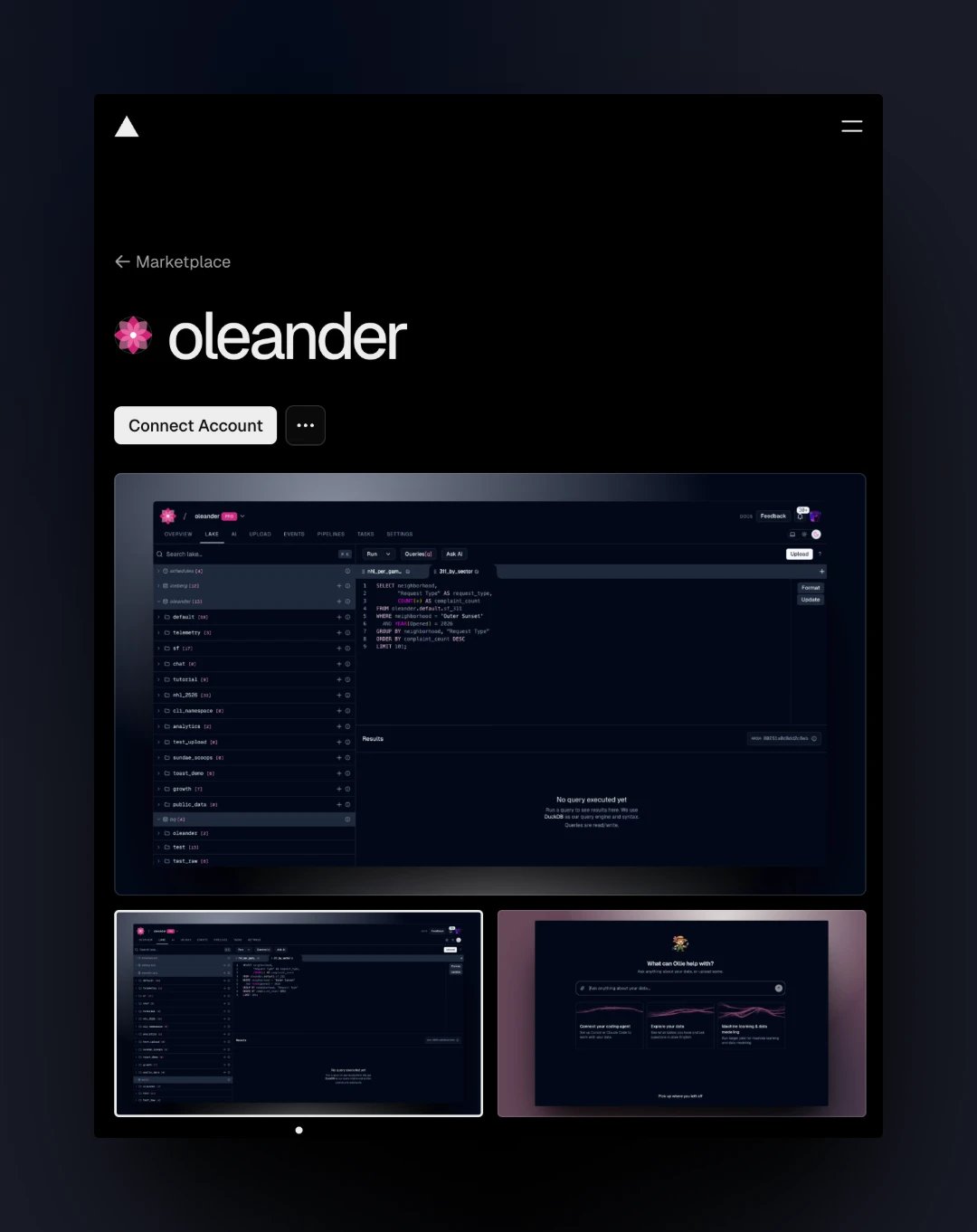
The [oleander integration](https://vercel.com/marketplace/oleander) on the Vercel Marketplace connects your Vercel projects to your oleander organization. Install it, choose the projects, and oleander adds an API key and its endpoint URLs to each project as environment variables, so your app and agents can query catalogs, tables, lineage, and telemetry without copying a key by hand.
To build an agent on Vercel that talks to oleander, see [eve](/integrations/eve).
 ## Install
1. Open [oleander on the Vercel Marketplace](https://vercel.com/marketplace/oleander) and click **Connect Account**.
2. Choose the Vercel team to install it on. Vercel then sends you to oleander, where you sign in if you aren't already.
3. On **Connect oleander to Vercel**, select the projects that should receive the environment variables. Every project in the team starts out selected.
4. Click **Connect**. With no projects selected the button reads **Finish installation**, and you can connect projects later by running setup again.
## Environment variables
| Variable | Value |
| - | - |
| `OLEANDER_API_KEY` | An oleander API key for your organization, stored encrypted |
| `OLEANDER_API_URL` | `https://oleander.dev` |
| `OLEANDER_MCP_URL` | `https://oleander.dev/mcp` |
Each variable is set for the Production, Preview, and Development environments, replacing any existing variable with the same name.
Vercel reads environment variables when it builds a deployment, so redeploy a project to pick them up. For local development, `vercel env pull` writes them to `.env.local`.
## Using the variables
The [TypeScript SDK](/sdk/typescript/introduction) reads `OLEANDER_API_KEY` from the environment, so a route handler or server function needs no configuration:
```ts theme={null}
import { Oleander } from "@oleanderhq/sdk";
const client = new Oleander();
const result = await client.queryRun(
"SELECT * FROM oleander.default.flowers LIMIT 10",
);
```
For agents, point an MCP client at `OLEANDER_MCP_URL` and send the key as `Authorization: Bearer `. See the [MCP reference](/mcp/protocol) for the tools it exposes. For anything else, `OLEANDER_API_URL` is the base URL of the [REST API](/api-reference/introduction), which takes the same bearer token.
## The API key
oleander creates the key when you finish setup. It belongs to the oleander user who installed the integration, so it carries that user's [roles](/iam/roles). It's listed under [Settings → Config → API keys](https://oleander.dev/app/settings/config/api-keys) as **Vercel integration**, followed by the installation's configuration ID.
* **Running setup again** creates a new key, writes it to the projects you select, and revokes the old one. Projects you leave unselected keep the revoked key, so select every project that still needs access.
* **Uninstalling** the integration in Vercel revokes the key. The environment variables stay on your projects until you remove them.
* **Revoking** the key in oleander cuts off every project that uses it.
This documentation is built and hosted on [Mintlify](https://mintlify.com), a developer documentation platform.
## Install
1. Open [oleander on the Vercel Marketplace](https://vercel.com/marketplace/oleander) and click **Connect Account**.
2. Choose the Vercel team to install it on. Vercel then sends you to oleander, where you sign in if you aren't already.
3. On **Connect oleander to Vercel**, select the projects that should receive the environment variables. Every project in the team starts out selected.
4. Click **Connect**. With no projects selected the button reads **Finish installation**, and you can connect projects later by running setup again.
## Environment variables
| Variable | Value |
| - | - |
| `OLEANDER_API_KEY` | An oleander API key for your organization, stored encrypted |
| `OLEANDER_API_URL` | `https://oleander.dev` |
| `OLEANDER_MCP_URL` | `https://oleander.dev/mcp` |
Each variable is set for the Production, Preview, and Development environments, replacing any existing variable with the same name.
Vercel reads environment variables when it builds a deployment, so redeploy a project to pick them up. For local development, `vercel env pull` writes them to `.env.local`.
## Using the variables
The [TypeScript SDK](/sdk/typescript/introduction) reads `OLEANDER_API_KEY` from the environment, so a route handler or server function needs no configuration:
```ts theme={null}
import { Oleander } from "@oleanderhq/sdk";
const client = new Oleander();
const result = await client.queryRun(
"SELECT * FROM oleander.default.flowers LIMIT 10",
);
```
For agents, point an MCP client at `OLEANDER_MCP_URL` and send the key as `Authorization: Bearer `. See the [MCP reference](/mcp/protocol) for the tools it exposes. For anything else, `OLEANDER_API_URL` is the base URL of the [REST API](/api-reference/introduction), which takes the same bearer token.
## The API key
oleander creates the key when you finish setup. It belongs to the oleander user who installed the integration, so it carries that user's [roles](/iam/roles). It's listed under [Settings → Config → API keys](https://oleander.dev/app/settings/config/api-keys) as **Vercel integration**, followed by the installation's configuration ID.
* **Running setup again** creates a new key, writes it to the projects you select, and revokes the old one. Projects you leave unselected keep the revoked key, so select every project that still needs access.
* **Uninstalling** the integration in Vercel revokes the key. The environment variables stay on your projects until you remove them.
* **Revoking** the key in oleander cuts off every project that uses it.
This documentation is built and hosted on [Mintlify](https://mintlify.com), a developer documentation platform.