> ## Documentation Index
> Fetch the complete documentation index at: https://docs.oleander.dev/llms.txt
> Use this file to discover all available pages before exploring further.
# ClickHouse
> Query your oleander Iceberg catalog from ClickHouse with a DataLakeCatalog database.
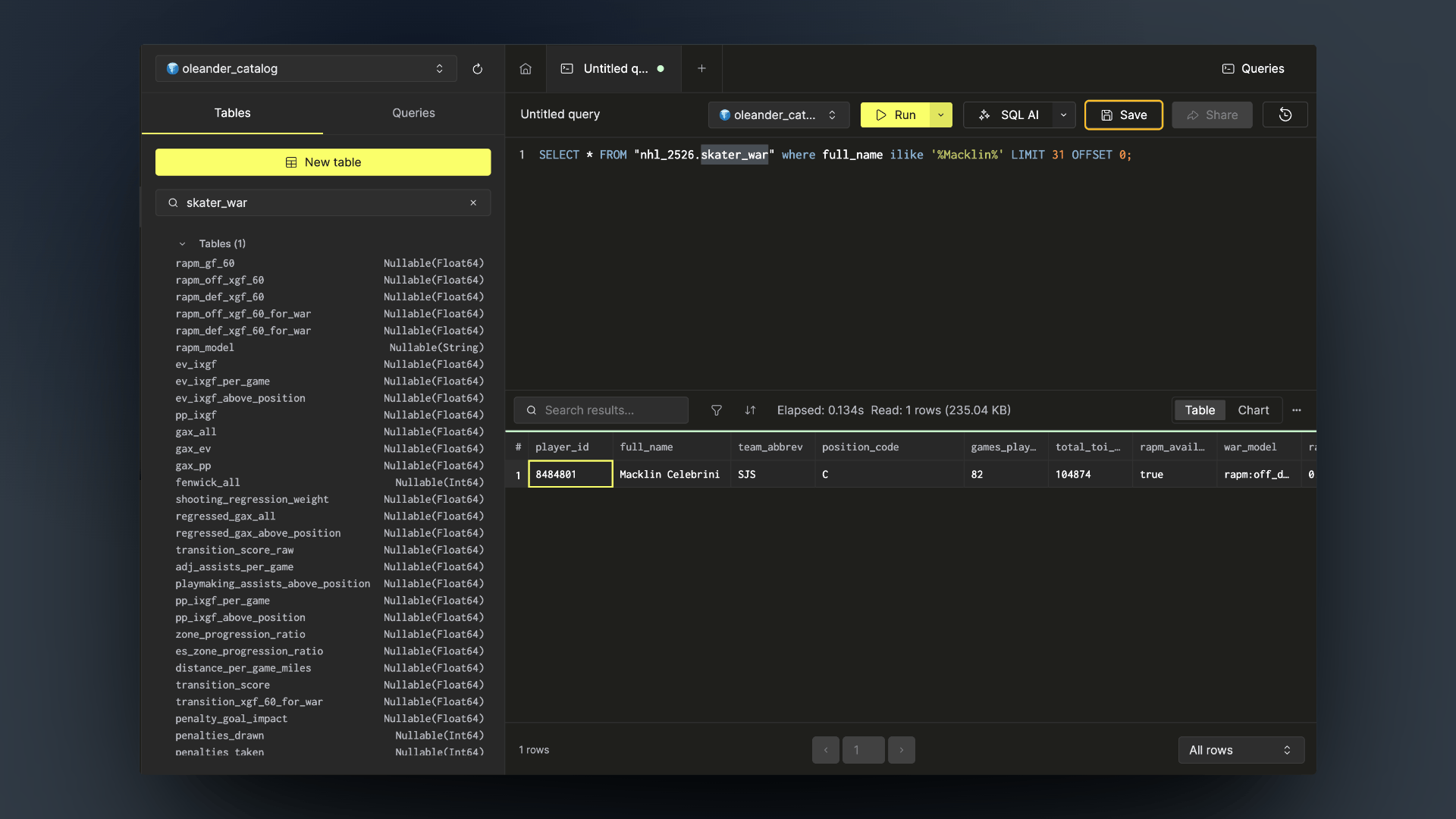
ClickHouse can attach an Iceberg REST catalog as a database and query its tables in place, with no copy. Attach your oleander catalog and ClickHouse becomes a low-latency serving layer over the lake.
This connection serves the player and goalie cards in [The Puck Is Cylindrical](https://oleander.dev/blog/the-puck-is-cylindrical): Spark builds the expected-goals, RAPM, and WAR tables in the `nhl_2526` namespace, and ClickHouse reads them straight from the catalog when the page loads.
 ## What you need
| Value | Where to find it |
| ------------------- | ----------------------------------------------------------------- |
| **Organization ID** | [Settings → Organization](https://oleander.dev/app/settings) |
| **API key** | [Settings → API keys](https://oleander.dev/app/settings/api-keys) |
The organization ID is both the OAuth client ID and the catalog warehouse name. The API key is the OAuth client secret.
## Setup
Run this in ClickHouse, replacing the two placeholders:
```sql theme={null}
SET allow_experimental_database_iceberg = 1;
CREATE DATABASE oleander_catalog
ENGINE = DataLakeCatalog('https://iceberg.oleander.dev/catalog')
SETTINGS
catalog_type = 'rest',
warehouse = '',
catalog_credential = ':',
auth_scope = 'catalog',
oauth_server_uri = 'https://oleander.dev/api/v1/oidc/token',
oauth_server_use_request_body = true,
vended_credentials = true;
```
| Setting | Why |
| ------------------------------- | ------------------------------------------------------------------------------------------------------------------------------------- |
| `catalog_credential` | Organization ID and API key joined with a colon. ClickHouse exchanges it for a short-lived catalog token and refreshes it on its own. |
| `oauth_server_use_request_body` | oleander's token endpoint only accepts client credentials in the request body, not the query string. |
| `vended_credentials` | oleander hands ClickHouse storage credentials for each table, so no S3 keys are needed. |
Works on ClickHouse Cloud and self-hosted ClickHouse alike.
## Querying the data
ClickHouse flattens `namespace.table` into a single quoted name:
```sql theme={null}
SHOW TABLES FROM oleander_catalog;
SELECT count(*)
FROM oleander_catalog.`bluesky.bluesky_posts`;
SELECT *
FROM oleander_catalog.`nhl_2526.skater_war`
LIMIT 10;
```
Every table in your catalog is visible, including anything written by [Streamkap](/integrations/streamkap), [Spark](/platform/compute/spark), or SQL in the lake.
## What you need
| Value | Where to find it |
| ------------------- | ----------------------------------------------------------------- |
| **Organization ID** | [Settings → Organization](https://oleander.dev/app/settings) |
| **API key** | [Settings → API keys](https://oleander.dev/app/settings/api-keys) |
The organization ID is both the OAuth client ID and the catalog warehouse name. The API key is the OAuth client secret.
## Setup
Run this in ClickHouse, replacing the two placeholders:
```sql theme={null}
SET allow_experimental_database_iceberg = 1;
CREATE DATABASE oleander_catalog
ENGINE = DataLakeCatalog('https://iceberg.oleander.dev/catalog')
SETTINGS
catalog_type = 'rest',
warehouse = '',
catalog_credential = ':',
auth_scope = 'catalog',
oauth_server_uri = 'https://oleander.dev/api/v1/oidc/token',
oauth_server_use_request_body = true,
vended_credentials = true;
```
| Setting | Why |
| ------------------------------- | ------------------------------------------------------------------------------------------------------------------------------------- |
| `catalog_credential` | Organization ID and API key joined with a colon. ClickHouse exchanges it for a short-lived catalog token and refreshes it on its own. |
| `oauth_server_use_request_body` | oleander's token endpoint only accepts client credentials in the request body, not the query string. |
| `vended_credentials` | oleander hands ClickHouse storage credentials for each table, so no S3 keys are needed. |
Works on ClickHouse Cloud and self-hosted ClickHouse alike.
## Querying the data
ClickHouse flattens `namespace.table` into a single quoted name:
```sql theme={null}
SHOW TABLES FROM oleander_catalog;
SELECT count(*)
FROM oleander_catalog.`bluesky.bluesky_posts`;
SELECT *
FROM oleander_catalog.`nhl_2526.skater_war`
LIMIT 10;
```
Every table in your catalog is visible, including anything written by [Streamkap](/integrations/streamkap), [Spark](/platform/compute/spark), or SQL in the lake.